For professional cycling teams
Your whole team’s season, on one live board.
Who races where, who staffs each race, who goes to which camp, how many race days every rider has done, and where the clashes are — updated the moment anyone changes the plan.
Already on a team? Sign in with your team email — no password.
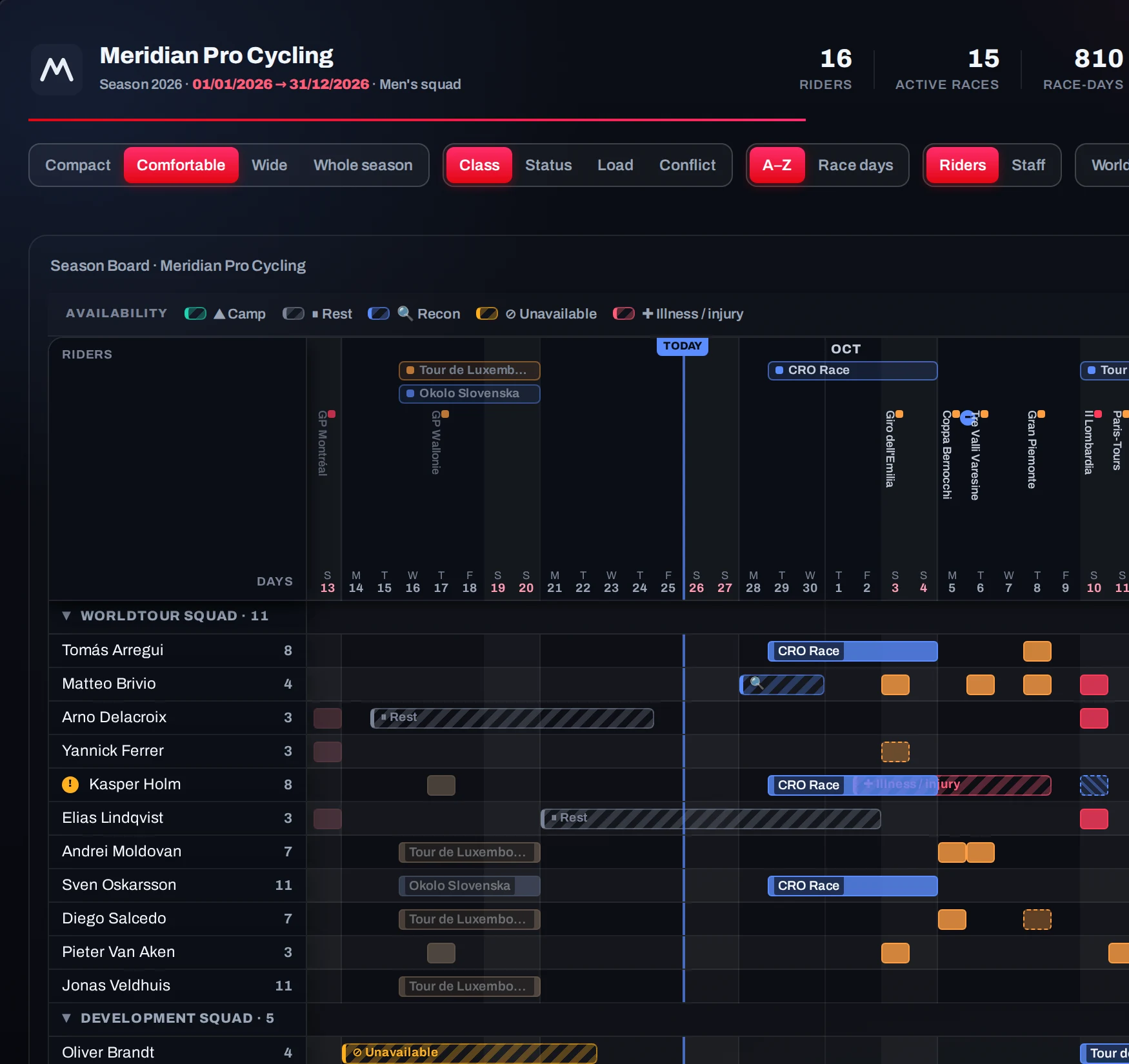
See it in action.
Zoom out to the whole season, find a rider, check what needs attention, switch to staff, open a race. Every answer is a click away.
Everything your season plan needs, in one place.
It replaces the season spreadsheet — and does the checking a spreadsheet never could.
Training camps, organised
Build a camp once: dates, location, riders and staff. Late arrivals and early departures handled person by person.
A role for every rider, every race
Leader, co-leader, lead-out, domestique or free role — so the sport director plans the race, not just the start list.
It does the thinking
Every rider’s race days kept count, and clashes, racing through injury, a race with no Sport Director or leader — found for you, with the fix.
Staff planned like riders
Sport directors, mechanics, soigneurs and medical on the same board. Uncovered races stand out.
Updates when rosters change
Every change since the last update, summarised for exactly the riders and staff it affects.
Everyone’s own schedule
A season page for every rider and staff member — plus PDFs, start sheets, calendar feeds and races on the training calendar.
01It does the thinking
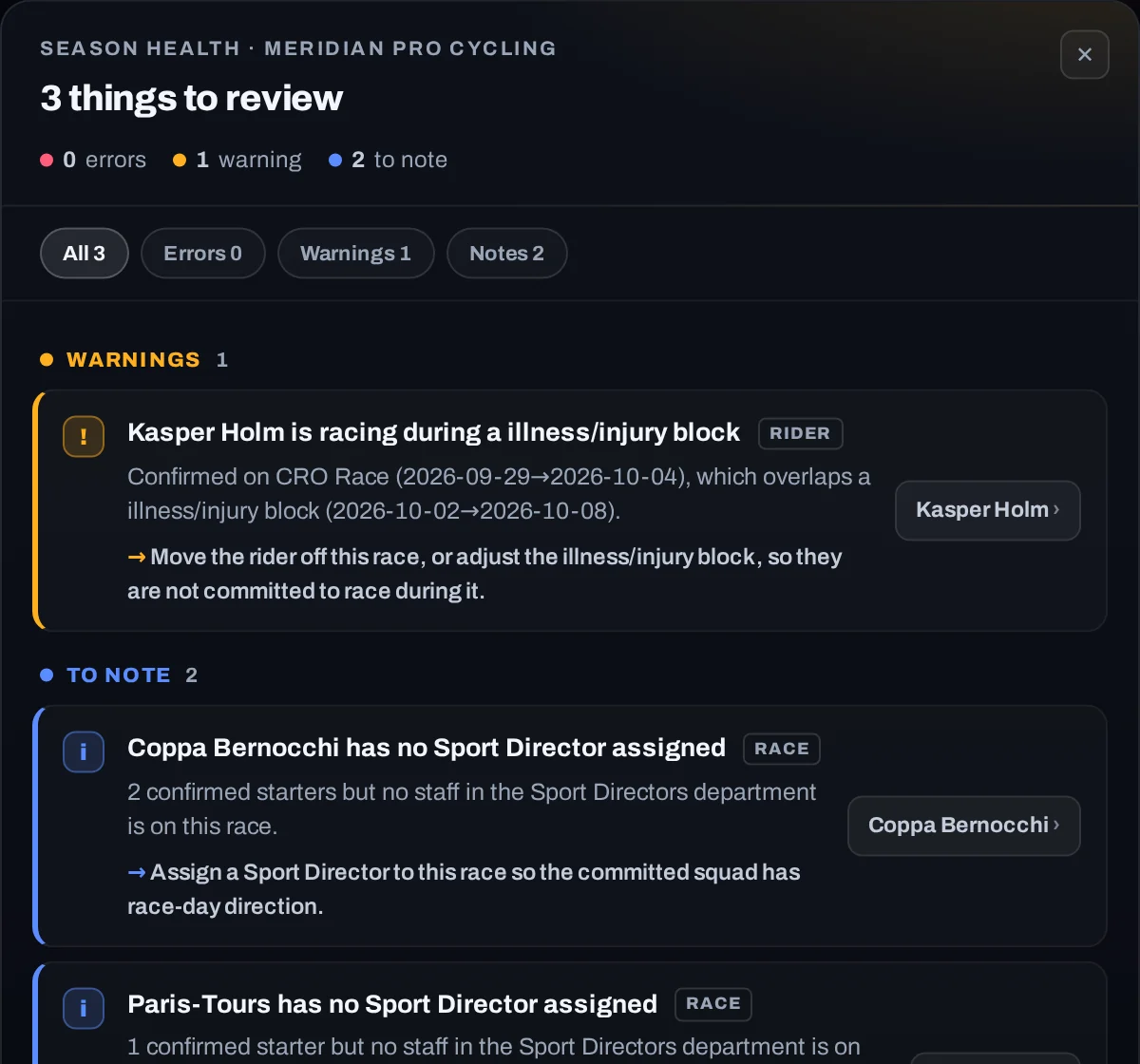
It finds what needs your attention.
Every change is checked against the whole season. Problems surface on their own, each with the fix and a one-click jump to it.
02For sport directors
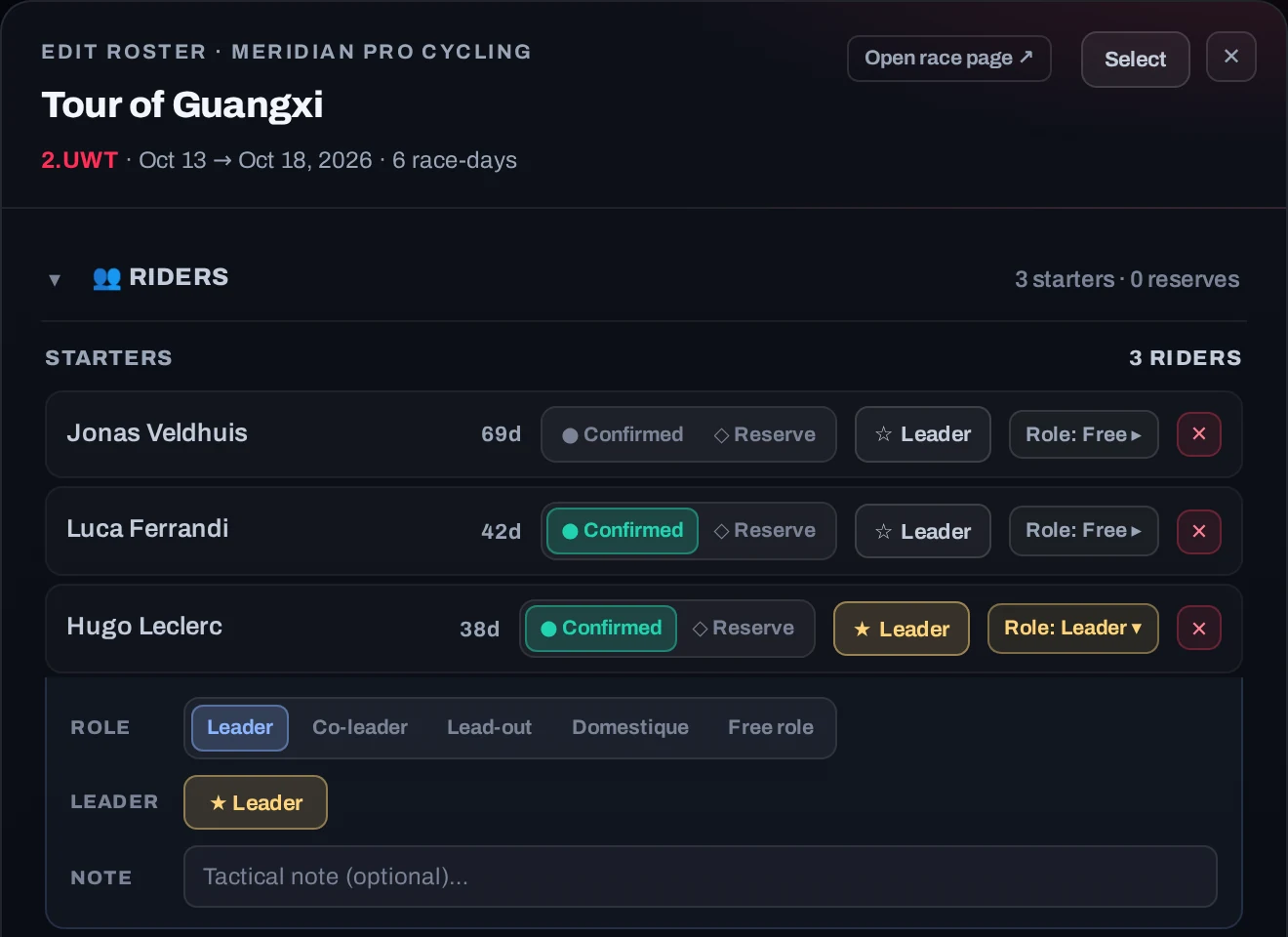
Every rider has a job in every race.
Set each starter’s role for the race and add a tactical note. Over a season you can see who has led, who has worked, and who has earned a chance.
03Riders and staff
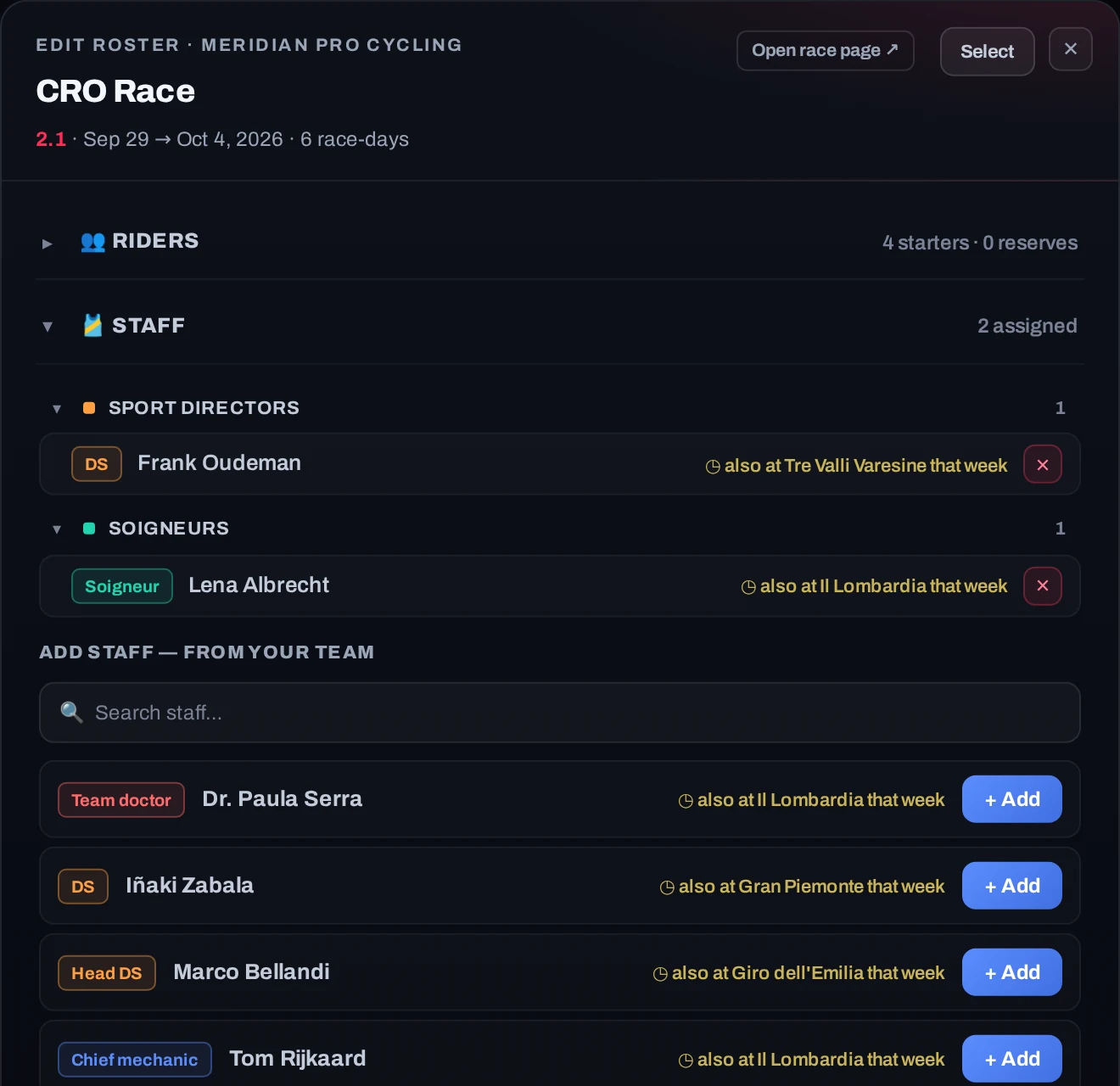
Staff every race as carefully as you pick riders.
Sport directors, mechanics, soigneurs and medical staff are planned on the same board. Everyone shows where else they are that week, and races nobody is covering stand out.
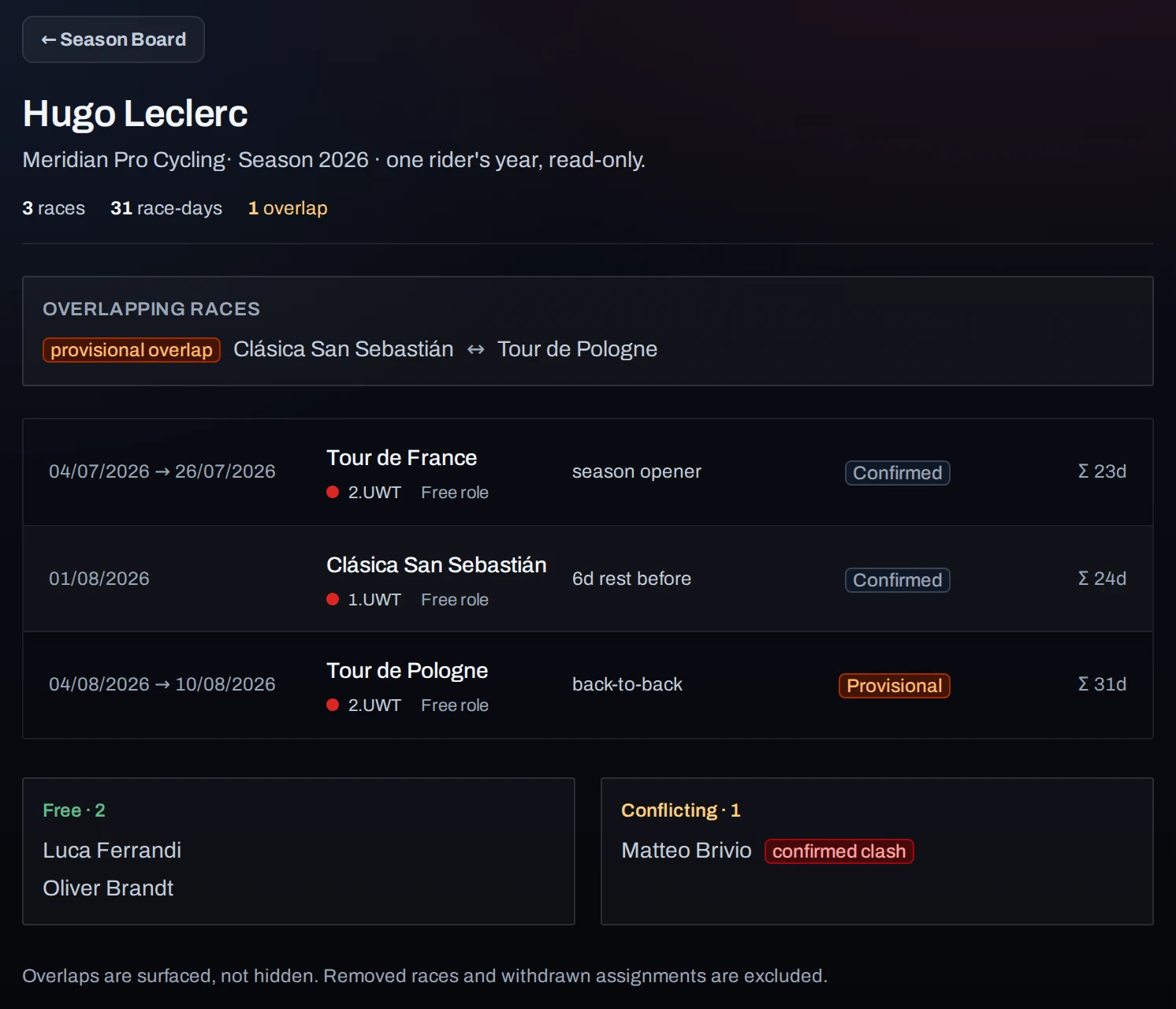
04Everyone’s own schedule
Every rider and staff member gets their own view.
Each person has a season page: their races, the rest between them, and any overlaps. When a roster changes, the update is prepared for exactly the people it affects.
Rider PDFs · start sheets · calendar feeds · races on the training calendar
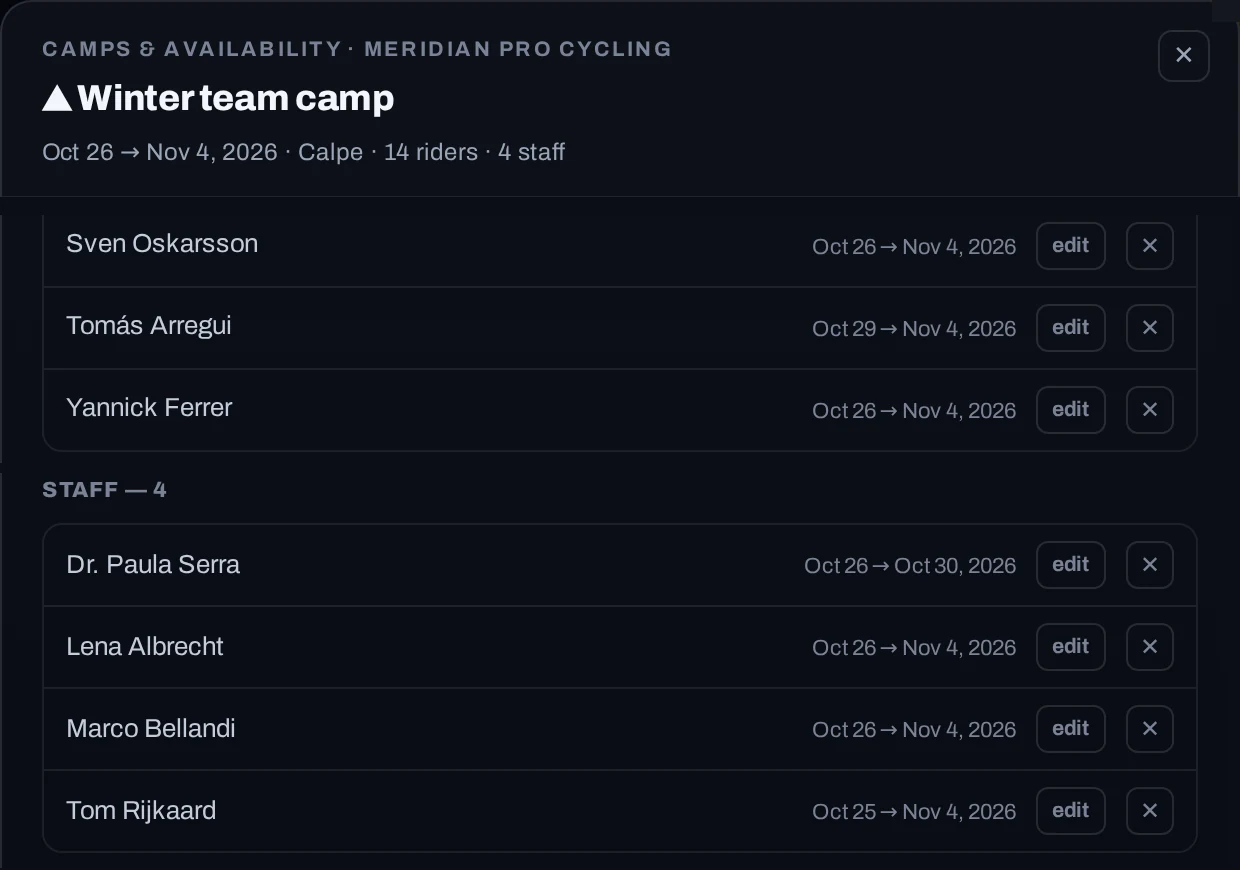
05Training camps
Plan every training camp in one place.
Camps take as much planning as a race. Set the dates and location, pick the riders and the support staff, and give anyone who arrives late or leaves early their own dates. The camp sits on the board next to the racing, so a clash with a race is flagged straight away.
From spreadsheet to live plan.
- STEP 1
Import your squad
Bulk upload riders and staff from a spreadsheet, names and emails included.
- STEP 2
Add your races
The calendar you are targeting; race days counted for you.
- STEP 3
Build your rosters
Riders, roles and staff for each race — the checks do the rest.
- STEP 4
Invite your team
Viewer, editor or team admin — each person gets the right access.
Interested in Season Planner for your team?
Email kevin@powerhousecycling.com.au and we’ll show you how it works with your own race calendar.